
How to Search Cases by Name
The official CaseLook Record Search is the place to begin a Pike County Court case search. Enter one main criterion at a time. Type the last name first in the Name/Company field. Add a space. Then add the first and middle name. Up to 30 characters fit there. Separate Case Search and Calendar Search tabs sit on the same form, so a docket search and a court calendar check each get their own screen.
- Identify whether the matter belongs in County Court, Common Pleas, Probate, Juvenile, or a mayor's court before entering a name.
- Open the official public search for that court. On County Court CaseLook, enter the name in the observed last-name, space, first-middle format.
- Use only one main search criterion on the County Court form, choose a case category when useful, and complete the agreement and CAPTCHA manually.
- Treat the result as a locator. Confirm a current case question with the court or clerk that maintains the record.
| Observed County Court field | Type | Required | Format or options |
|---|---|---|---|
| Name/Company | Text | Unspecified | Last, space, first middle; maximum 30 characters. |
| Hearing Date | Date lists | No | Month, day, and year choices from 1982 through 2029. |
| Case Number | Text | No | Numbers only, no letters; maximum 12 characters. |
| File Date | Date lists | No | Month, day, and year choices from 1982 through 2029. |
| Ticket Number | Text | No | Maximum 32 characters. |
| Case category | Checkboxes | No | Traffic, Criminal, Civil, Small Claims, and Parking are preselected. |
| CAPTCHA response | Text challenge | Yes | Up to six characters, with visual and audio controls. |
Pike County Case Lookup Court Routing
Pick the court before typing anything. County Court's CaseLook covers Traffic, Criminal, Civil, Small Claims, and Parking for its own docket. The Common Pleas CourtView gateway is the official entry point for Common Pleas court records. Probate and Juvenile each run separate Record Search pages. Waverly Mayor's Court has its own docket interface. Piketon offers no public search through its court.
| Case location | Official starting route | Boundary to remember |
|---|---|---|
| Pike County Court | CaseLook Case Search | Traffic, Criminal, Civil, Small Claims, and Parking only. |
| Common Pleas | CourtView public eServices | The accessible entry is an agreement and CAPTCHA gateway. |
| Probate | Probate Record Search | Probate form categories differ from County Court codes. |
| Juvenile | Juvenile Record Search | Online public output is limited to adult Juvenile cases. |
| Waverly Mayor's Court | Waverly docket search | It is not the County Court CaseLook database. |
No statewide search replaces this routing. The Ohio Supreme Court offers directories and court resources, not one statewide case lookup. A name search in the wrong system can come up empty simply because another Pike County court holds the record.
How to Search by Case Number
A case number is often the fastest Pike County search key. It works only if it reaches the right court. County Court, Probate, and Juvenile forms each say the case-number field takes numbers only. No letters, and no more than 12 characters. The stated local rule is Case Number: numbers only, no letters. That is a form instruction. It is not a claim that every Pike court numbers cases the same way. Enter the identifier exactly as your notice shows it. Strip letters only where that court's form says to do so. County Court also offers a Ticket Number field that runs up to 32 characters. It may serve better for a traffic or parking matter. A number from Waverly Mayor's Court belongs in Waverly's own system, not CaseLook. Common Pleas is different again. Its CourtView gateway sits behind a log-on screen. Do not assume the number field follows CaseLook rules. Complete the required access step first. If the gateway still fails to resolve your record, call the Common Pleas Clerk. Do not rework the number to fit another court's format.
Pike County CaseLook Search Design
County Court's form asks for one piece of information at a time. That design favors a simple, controlled search over piling a name, number, file date, and hearing date together as though all were required. Begin with the most exact clue the form permits: a numeric case number for County Court, a ticket number when it fits the notice, or the instructed name format when no number is at hand. Then narrow things with the case-type boxes. County Court codes are TR for Traffic, CR for Criminal, CV for Civil, SM for Small Claims, and PR for Parking. Those two-letter codes are not a countywide vocabulary. In Probate, PR marks the Marriage category, not Parking. The same letters can mean different record classes in different Pike County systems, so match the code to the court you are actually searching.
- File Date
- The date field available in County Court, Probate, and Juvenile public forms; it is not the same as a hearing date.
- Hearing Date
- A County Court CaseLook search field for a scheduled event. Confirm a current setting with the court because web data may lag.
- Calendar Search
- The County Court date-range tab, distinct from Case Search and limited to that court's listed categories.
What a Case Search Shows
The public forms tell you what to type, not what a detail screen will display. A Pike County case lookup should not promise a party list, judge, charge, balance, document image, attachment list, disposition code, or downloadable filing. The public view may work as a locator and nothing more.
| Case number | An observed input field in County Court, Probate, and Juvenile forms; a returned-number display was not inspected. |
|---|---|
| Name or caption | Name/Company is an observed search input, but no individual result-row caption was captured. |
| Case type | County Court categories and Probate categories are observed form filters, not a verified result layout. |
| File or hearing date | These are observed County Court search controls; no returned date-field format was inspected. |
| Status or docket event | Not established from an individual Pike public result. Ask the custodian court for current or certified information. |
Ohio court-record rules draw a line between a docket or index and the case documents behind it. A result can point you to a filing or a setting. It does not put every pleading, order, exhibit, or certified copy online.
Pike County Case Portal Access
CAPTCHA and agreement screens are part of lawful public access. They are not a sign that a case is missing. County Court's CaseLook asks for acceptance plus a CAPTCHA response. The Common Pleas CourtView entry adds a Log on link, a public-information agreement, CAPTCHA controls, and an I AGREE action. That gateway labels its data as Clerk-maintained. It shows nothing beyond the agreement about document images, fees, or date coverage. County Court also warns that online information may change without notice. It can lag a filing or judicial action. The delay runs at least 24 hours or longer. Complete the manual step. Then call the clerk when a current date, certified copy, or a portal limit blocks confirmation. The official Pike County Court Record Search page presents that access point and the County Court agreement. It is worth reading before you rely on any result.
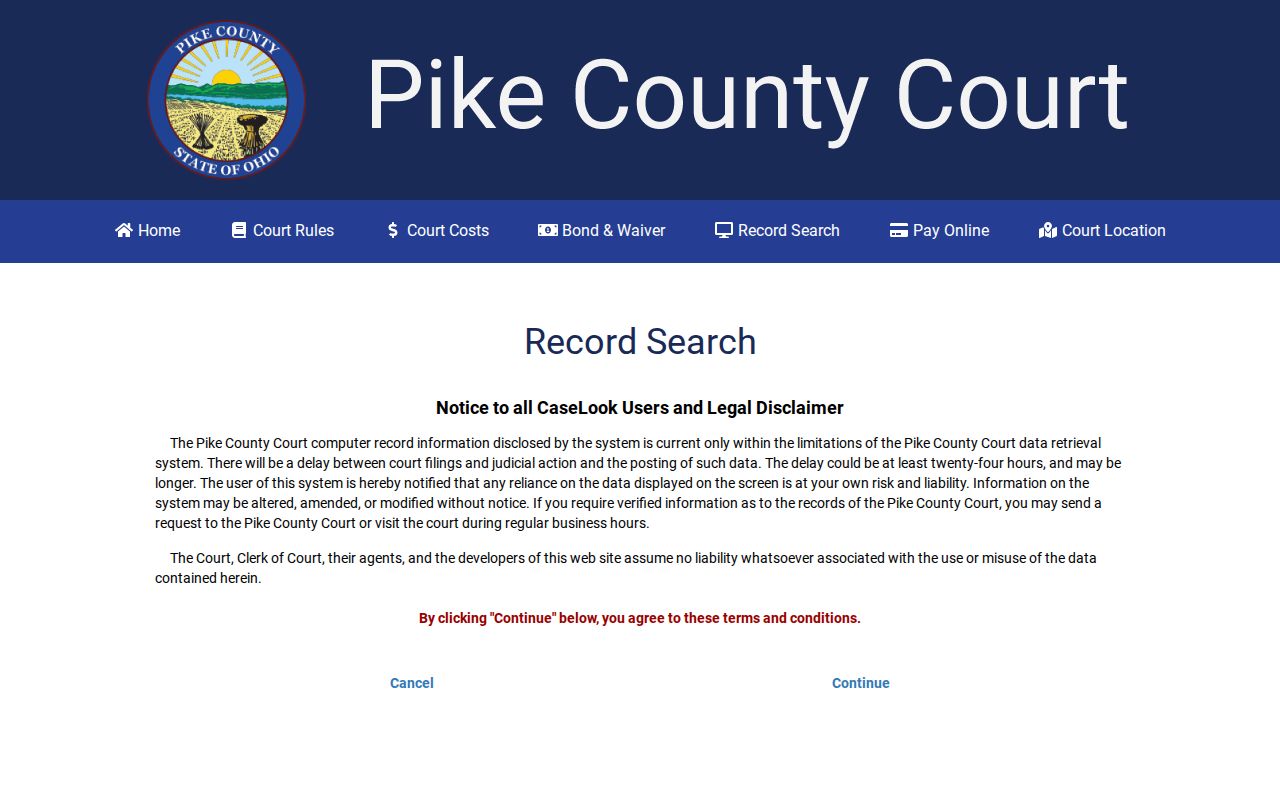
Finish the required manual step, then use the court's confirmation channel if the lookup still comes up short.
County vs Statewide Case Search
Ohio offers no single statewide portal that replaces searching Pike's local systems. So a Pike County case lookup works court by court. The Ohio Supreme Court trial-court directory can point you toward the right court and its local rules. It is not a statewide docket database, though. Pick the Pike court portal or clerk that matches the case type. The office holding the record matters too. Skip the temptation of a broad statewide name search.
| Statewide resource | Pike County court route |
|---|---|
| Ohio Supreme Court directories, rules, and dashboards. | CaseLook, CourtView, Probate Record Search, Juvenile Record Search, or the relevant mayor's-court channel. |
| Helps identify courts and local authority. | Locates information held by a particular Pike court. |
| Does not replace a public Pike docket search. | Requires the correct court and any required agreement or CAPTCHA. |
Once you have a County Court hearing date in mind, start with the Pike County Court Dates page, which walks through the Calendar Search's required beginning date and the confirmation you can get from the clerk. That route works for court dates. Finding the right record is a different job. A calendar search never substitutes for a case search when the goal is to pin down the correct case first.
Pike County Probate Case Boundaries
Probate and Juvenile each use their own Record Search form. One criterion at a time is the limit on both. Names go in last name, space, first middle format. A CAPTCHA is required. A case number must be numbers only, up to 12 characters. File Date and result-count controls are there too. Probate adds filters for Civil, Estate, Guardianship, Marriage, Miscellaneous, and Trusteeship. Its records are generally public, with adoption and civil-commitment material excepted under the local notice.
Juvenile is the tighter door. Under the Technology Plan, online docket information covers adult Juvenile cases only. The local court treats most juvenile records as confidential. That includes juvenile traffic, delinquency, unruly, probation, abuse, neglect, and dependency matters. Parentage, support-modification, and visitation cases are generally public instead. One caution: a no-result never proves that no Juvenile case exists.
You can also go straight to the clerk. The Probate and Juvenile notice allows in-person, mail, telephone, and email requests. The clerk decides whether a particular record may be inspected or copied. Older Probate material tied to the scanning project may need at least five business days.
Restricted Cases and Access Rules
Ohio Sup.R. 45 starts from a presumption of public access to court records. Yet the same rule allows restrictions and redaction. A remote search is not required to show everything that direct access would. Ohio's sealing statutes, R.C. 2953.32 and 2953.33, control criminal sealing and expungement applications. R.C. 2151.357 covers juvenile sealing. So when a name goes missing, a document locks, or a result comes back blank, the cause could be the wrong custodian. A search setting works too. So does a posting delay, a protected record category, or a court restriction.
Pike County Court's local rules draw a related line. Docket indices are public records, with nonpublic personal identifiers excluded. Probate local rules list motions to seal and unseal. None of that tells you why one specific record is unavailable. The right move is to ask the court that maintains the matter about public inspection, a plain copy, or a certified copy. Read no conclusion into the online result alone.
Note: Public case access in Pike County is controlled by the record custodian and applicable access rules. It is not simply a matter of whether a name search displays a result.
Pike County Case Lookup Verification
An online result that looks thin is a reason to call, not to hop to an unrelated portal. County Court lists Suite 900 and 740-947-4003 as its clerk and deputy-clerk channel. Common Pleas records run through its clerk at 740-947-2715. Probate and Juvenile keep separate deputy-clerk offices. When you reach one, state the court, any known case number, party or date context, and the record you need. Say whether you want a plain or certified copy.
Pike County CourtView Case Gateway
Common Pleas records live with the Pike County Clerk of Common Pleas Court. That office runs its own public entry point. The CourtView public eServices gateway opens only after you accept an agreement. It also requires a CAPTCHA. Before you reach any search screen, the terms caution you about accuracy, reliability, and suitability. Treat the gateway as the authoritative Pike County court docket source for Common Pleas, and don't assume its search fields, result columns, document access, or fee terms match another county's CourtView setup. Details can differ from one court to the next.
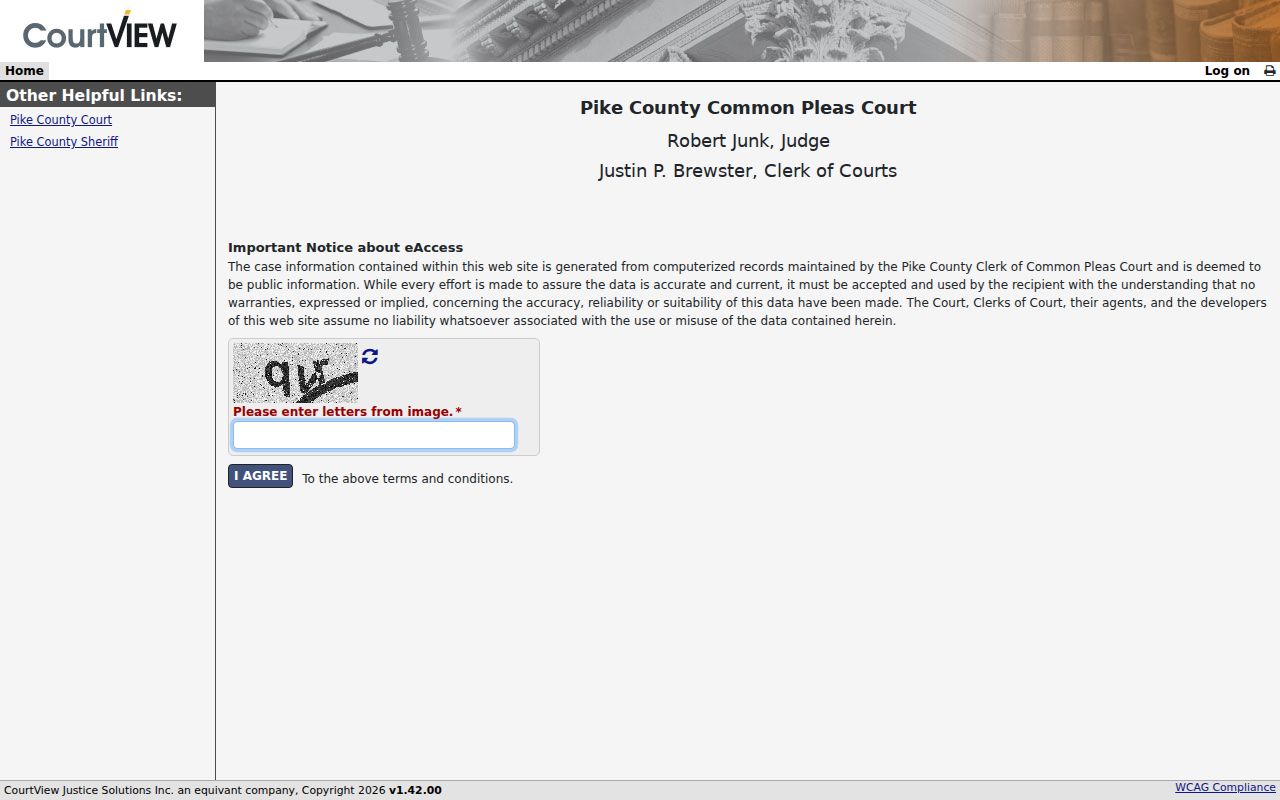
The gateway points you to the right Pike County office for Common Pleas records. If a current case lookup question still needs a human answer, call the clerk at 740-947-2715.